RemoteMyMac

Control Your MacBook Terminal
From Your iPhone|

Execute ANY terminal command on your Mac directly from your iPhone! Run sudo commands, Git operations, npm scripts, Docker containers, and all development tools instantly. The iPhone app IS your mobile terminal companion - perfect for developers working on large projects who need lightning-fast remote access.

Get RemoteMyMac
$7.99 for iPhone

🔥 Real Terminal Access from iPhone

Connect to your Mac's terminal and execute commands with real-time output - just like sitting at your computer

Real-time Command Execution

Execute any terminal command on your Mac from your iPhone with instant output streaming. See results as they happen - no delays, no buffering. Works with all commands including sudo operations.

📁

Built-in File Browser

Navigate your Mac's file system directly from the app. Browse folders, view files, and manage your projects without switching between apps. Integrated seamlessly with the terminal.

🚀

Quick Action Buttons

Pre-built shortcuts for common commands: sudo, ls -la, cd .., clear, and yes/no responses. Tap once instead of typing - perfect for repetitive tasks and command confirmations.

🔒

Local Network Only

Your commands never leave your local network. Direct connection between your iPhone and Mac via WiFi - no cloud servers, no external dependencies. Your data stays private.

🎨

Native iPhone Interface

Dark terminal theme optimized for mobile use. Haptic feedback for button presses, smooth scrolling, and touch-friendly controls. Feels natural on iPhone.

⌨️

Smart Terminal Features

Ctrl+C support to kill processes, password input detection, command history, and current directory tracking. All the terminal features you expect, designed for mobile.

💻 See Your iPhone Control MacBook Terminal

Watch how you can execute ANY terminal command on your Mac directly from your iPhone - including sudo commands!

9:41 100%
Connected to MacBook Pro
~/Documents/Projects
$ sudo npm install -g @angular/cli
Password: ••••••••
✓ Installing Angular CLI globally...
✓ Successfully installed @angular/cli@17.0.0
$ git push origin main && npm run build
Enumerating objects: 15, done.
✓ Pushed to origin/main
✓ Build completed successfully
$ |
sudo
ls -la
cd ..
clear
📱

Your iPhone IS the Terminal Companion

The mobile app is your primary terminal interface. Execute commands, run sudo operations, manage development projects - all from your iPhone with native iOS design and touch controls.

Instant Command Execution

Execute commands faster than walking to your Mac! Perfect for large development projects where you need quick access to run builds, restart services, or check system status without interrupting your workflow.

🔧

Complete DevOps & Developer Toolkit

Full compatibility with Git, npm, yarn, Docker, Kubernetes, Python, Node.js, Ruby, Go, Rust, Homebrew, pip, conda, and 500+ CLI tools. Perfect for full-stack development and system administration.

🎯 Perfect for Large Development Projects

Execute terminal commands faster than walking to your MacBook - ideal for busy developers

👨‍💻

Large Development Projects

Perfect for big codebases where you need quick terminal access. Run build scripts, restart development servers, check logs, execute Git operations, and manage dependencies without leaving your current workspace.

🔧

System Administration & DevOps

Execute sudo commands, manage system services, monitor processes, restart Docker containers, and perform emergency system maintenance - all from your iPhone when you're away from your MacBook.

☁️

Cloud Engineers & Infrastructure

AWS CLI, Google Cloud SDK, Azure CLI, Kubernetes kubectl, Terraform, and infrastructure automation from anywhere with your iPhone.

🏢

IT Professionals & Support

Remote Mac support, user assistance, system diagnostics, software installation, and IT helpdesk operations from mobile devices.

🎓

Students & Educators

Computer science coursework, programming assignments, research projects, and educational lab access from iPhone or iPad.

🚀

Mobile Productivity & Efficiency

Execute commands faster than walking to your MacBook! Perfect for developers who want maximum productivity - run any terminal command instantly from anywhere in your office, home, or workspace.

🏆 Why Remote Terminal Beats Other SSH Apps

The most advanced remote terminal solution for iPhone users

Feature Remote Terminal Other SSH Apps
Real-time Command Output ✅ Live Streaming ❌ Delayed
File Browser Integration ✅ Built-in ❌ Separate App
Quick Command Shortcuts ✅ Customizable ⚠️ Limited
Zero-Config Setup ✅ QR Code Pairing ❌ Manual Config
Local Network Only ✅ 100% Private ❌ Cloud Dependent
iPhone Optimization ✅ Native iOS Design ⚠️ Generic UI

❓ Frequently Asked Questions - Remote Terminal SSH App

Everything you need to know about iPhone remote Mac access

How do I control my MacBook terminal from my iPhone?

Download the free Mac server app, install Remote Terminal Companion on your iPhone ($7.99), and scan the QR code. Your iPhone instantly becomes a powerful terminal companion that can execute ANY command on your Mac - including sudo commands!

Is Remote Terminal secure for enterprise and business use?

Absolutely! Remote Terminal uses local network-only connections with zero cloud dependencies. All data stays within your private network, making it perfect for enterprise environments, HIPAA compliance, and sensitive development work.

Can I run sudo commands and ALL terminal commands from my iPhone?

YES! Every single terminal command works: sudo operations, Git, npm, yarn, Docker, Kubernetes, Python, Node.js, system administration, file operations - literally everything. Your iPhone has full terminal access to your Mac.

Can I use Remote Terminal with Intel and Apple Silicon Macs?

Yes! We provide optimized versions for both Intel Macs (2020 and earlier) and Apple Silicon Macs (M1, M2, M3, M4 chips from 2020+). Both versions are completely free and work with macOS 11.0 Big Sur and later.

How fast is the remote terminal connection?

Lightning fast! With sub-100ms latency over local WiFi networks, Remote Terminal provides real-time command execution that feels like you're typing directly on your Mac. Optimized for WiFi 6 and 5G performance.

Does Remote Terminal work with multiple Macs and team collaboration?

Yes! You can connect to multiple Macs from one iPhone, and multiple team members can connect to the same Mac server. Perfect for development teams, IT departments, and collaborative projects.

📲 Get Your iPhone Terminal Companion

Transform your iPhone into a powerful MacBook terminal controller. Execute ANY command remotely - perfect for developers working on large projects!

📱 RemoteMyMac Companion (iPhone)

Your mobile terminal companion app. Execute ALL terminal commands on your Mac from iPhone - including sudo operations, Git, npm, Docker, and system administration.

$7.99 One-time purchase

Download on the App Store

💻 Free Mac Server App

Lightweight server for your MacBook. Works with Intel and Apple Silicon Macs (M1, M2, M3, M4). Simple QR code setup - no technical configuration needed.

Free Always free
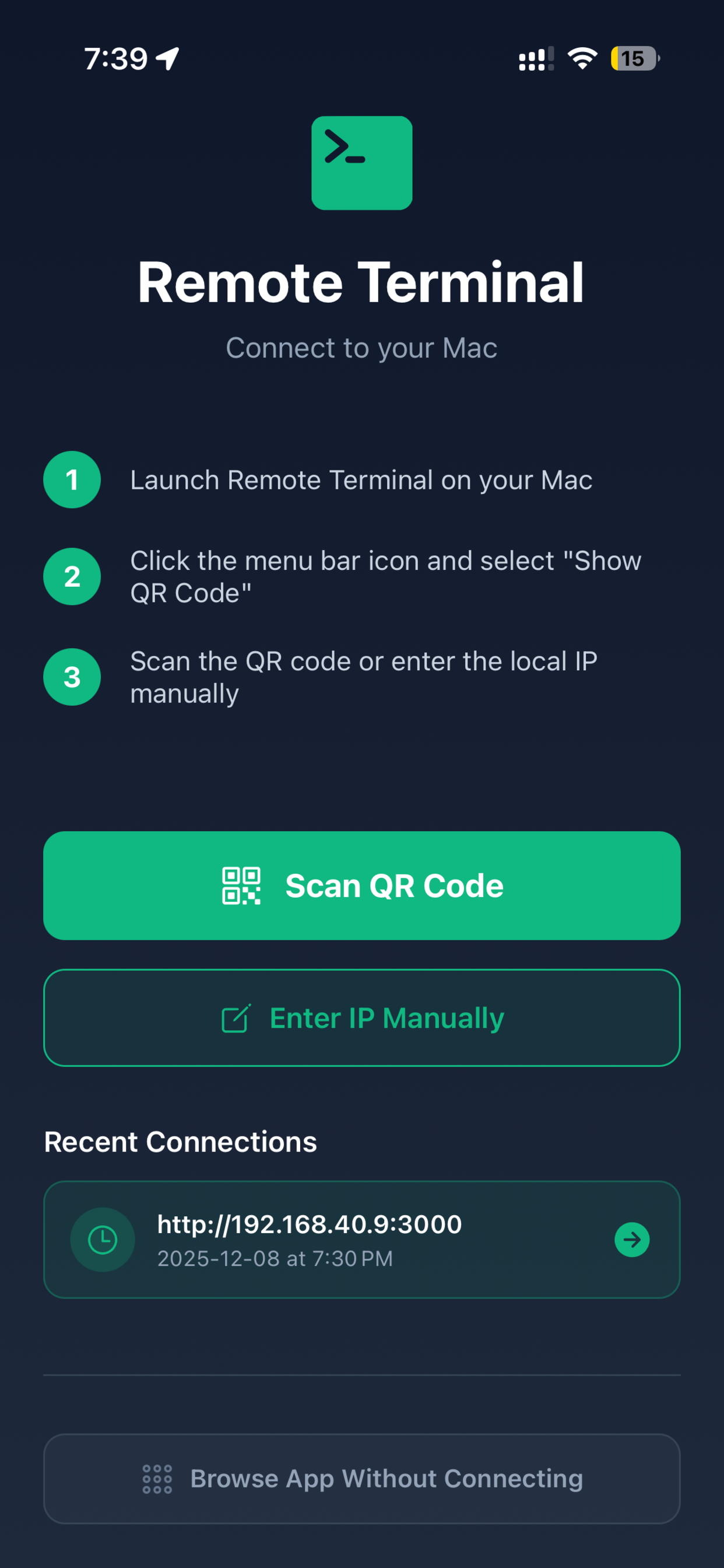
Remote Terminal App Screenshot